
Integrated with PayPal, PayDollar and KPay
Three online payment platforms

Registrants pay right after registering and the registration is confirmed at once, with a QR code email or notification.

Supports credit cards (VISA / Mastercard / UnionPay) and e-wallets (Alipay, WeChat Pay, FPS, PayMe, Octopus...)

 LIVE DEMO  GET QUOTE

Instant payment and registration confirmation

網上支付選項
  • Supports three major online payment platforms: PayPal, PayDollar and KPay.

  • Online payment — fast and convenient.

  • Compared with offline payments (such as ATM transfers, cheques, etc.), it eliminates manual processing and payment verification, greatly reducing processing time and errors.

  • Registration fees are transferred directly to the organiser’s PayPal, PayDollar or KPay merchant account. iEvent is not involved in the transaction, and organisers can withdraw the funds to their bank account at any time.

PayPal

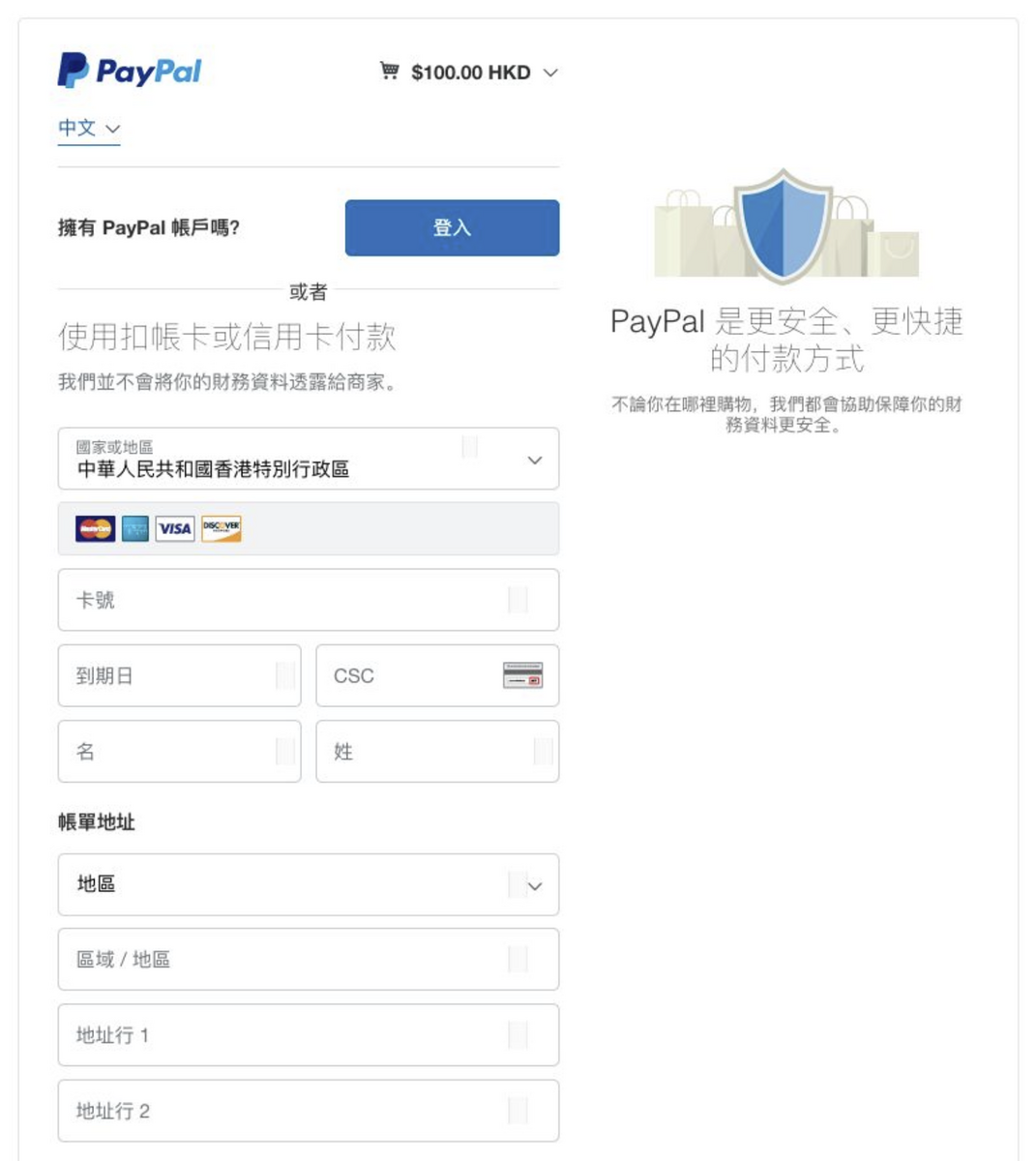
PayPal online payment
  • Accept payments through online checkout, offering PayPal payments worldwide, processing credit cards (VISA, Mastercard, UnionPay, American Express, etc.) and debit cards, allowing customers to pay using their preferred method.

  • A commonly used payment method in Hong Kong and internationally.

  • Secure transactions compliant with PCI data security standards.

  • Event organisers must open a PayPal Business Account to collect registration fees. Transactions do not involve iEvent (PayPal merchant fees).

  • Each confirmed registration is assigned a “Reference Number”, which is recorded in both iEvent and PayPal for easy tracking and reconciliation.

  • Payment process screenshots.

PayDollar (AsiaPay)

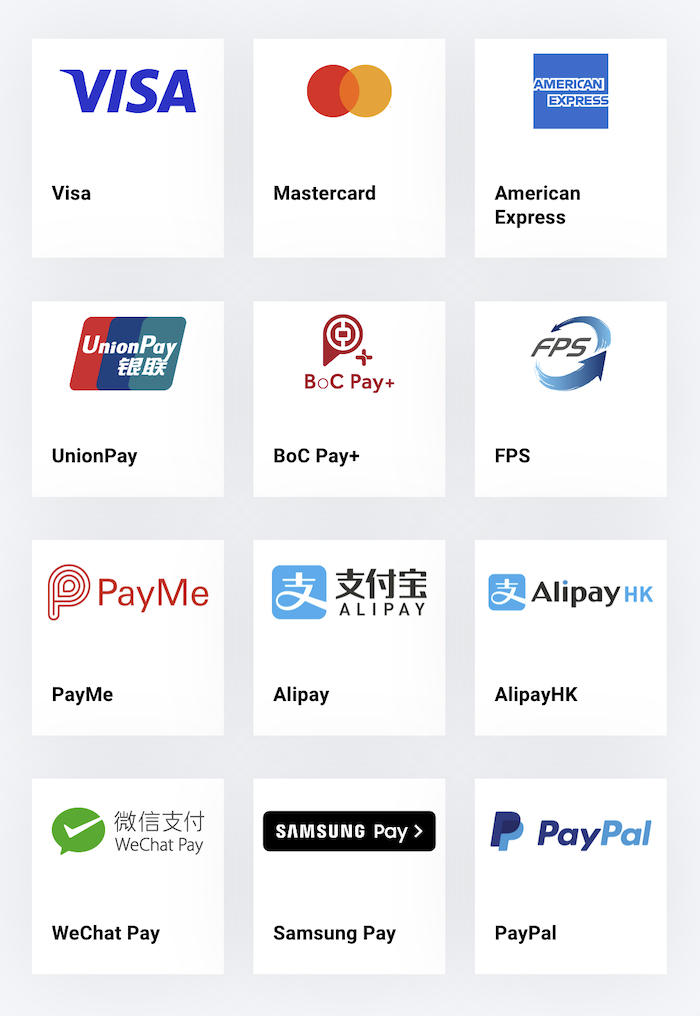
PayDollar payment option
  • In addition to credit card payments (VISA, Mastercard, UnionPay, American Express, etc.), it also supports e-wallets and other payment methods, including:

    • AlipayHK (Hong Kong)
    • Alipay (Mainland China)
    • WeChat Pay
    • BoC Pay+
    • Faster Payment System (FPS)
    • Octopus
    • PayMe
    • PPS
    • Apple Pay, Google Pay, Samsung Pay, PayPal

  • Suitable for payments from Mainland China, Hong Kong, and overseas.

  • Event organisers must open a PayDollar Merchant Account to collect registration fees. Transactions do not involve iEvent.

  • Each confirmed registration is assigned a “Reference Number,” which is recorded in both iEvent and PayDollar for easy tracking and reconciliation.

  • PayDollar payment process screenshots.

KPay

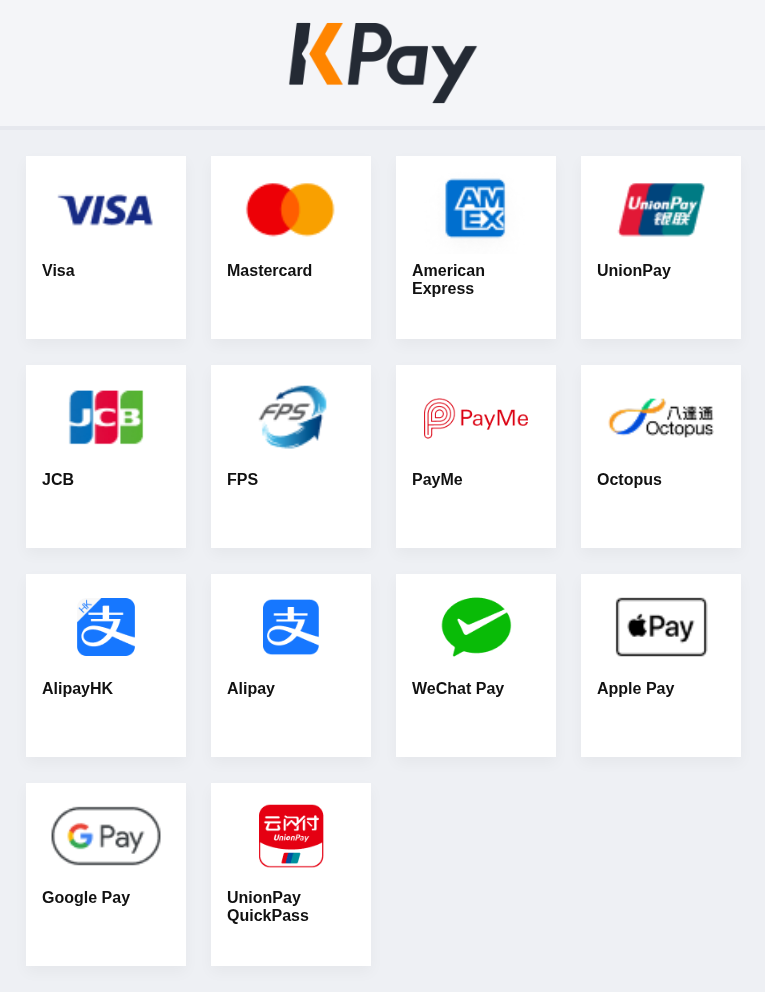
KPay卜 支付方式
  • Registrants choose how to pay on KPay’s checkout page. Besides credit cards (VISA, Mastercard, UnionPay, American Express, JCB), it supports the e-wallets commonly used in Hong Kong:

    • AlipayHK
    • Alipay
    • WeChat Pay
    • FPS
    • PayMe
    • Octopus
    • UnionPay QuickPass
    • Apple Pay, Google Pay

  • The payment methods available depend on what the organiser has enabled with KPay.

  • Popular local payment methods, with a full range of e-wallets for Hong Kong registrants.

  • Card details are handled by KPay on its own checkout page and never pass through iEvent.

  • Event organisers need to open a merchant account with KPay to receive registration fees. KPay pays them out to the organiser’s KPay merchant account; iEvent is not involved in the transaction.

  • Every confirmed registration has a reference number, stored in both iEvent and KPay for easy tracking and reconciliation.

  • Organisers can make full or partial refunds of KPay payments directly from the iEvent admin panel, without logging in to KPay.

  • KPay payment flow screenshot.

Online payment FAQ

1. Do I need to register a PayPal, PayDollar or KPay Merchant Account?
Yes. iEvent does not provide fee collection services. Event organisers must contact PayPal, PayDollar or KPay to open a merchant account.
2. Are there any service fees for using online payments?
PayPal / PayDollar / KPay do not charge registrants a service fee, but they do charge the merchant. After deducting fees, the remaining balance is transferred to the merchant’s account.
  • PayPal merchant fees
  • Depending on the payment method used, PayDollar may charge a one-time account setup fee.
  • KPay fees follow the organiser’s contract with KPay.
3. If we don’t have a PayPal, PayDollar or KPay Merchant Account, does iEvent provide fee collection services?
iEvent does not provide fee collection services.
4. [PayPal] Can registrants pay without a PayPal account?
Yes. Registrants can pay directly using a credit card (VISA, Mastercard, UnionPay) without registering a PayPal account.
5. Our company already has a payment gateway with a specific bank. Can it be used with iEvent?
Not currently supported. iEvent supports PayPal, PayDollar or KPay.
6. Does iEvent charge extra for using online payments?
iEvent does not charge extra. However, PayPal / PayDollar / KPay service fees apply:
  • PayPal merchant fees
  • Depending on the payment method used, PayDollar may charge a one-time account setup fee.
  • KPay fees follow the organiser’s contract with KPay.
7. Do I need to provide PayPal, PayDollar and KPay payment options?
No. You can offer any one of them, or several.
8. [KPay] How can registrants pay?
Registrants choose how to pay on KPay’s checkout page: credit cards (VISA, Mastercard, UnionPay, American Express, JCB), AlipayHK, Alipay, WeChat Pay, FPS, PayMe, Octopus, UnionPay QuickPass, Apple Pay and Google Pay. The methods available depend on what the organiser has enabled with KPay.
9. [KPay] Can we refund registrants from iEvent?
Yes. From the registration record in the iEvent admin panel, you can refund a KPay payment in full or in part, and the result updates automatically. After a full refund, the registration becomes “Refunded” and its place is released.
10. [KPay] How do we get KPay set up?
Apply to KPay for an online payment merchant account, then send iEvent your merchant ID (MID). We will link it to iEvent and set it up for you.

Scroll to top